Those using iphone or ipad may be having trouble dragging things in safari in any of the games on this site.
Most likely since iOS 13+.
Games like Rojo, Notre Dame and Traffinc can have trouble dragging tiles and dice (most likely other games too).
How to fix it: (at least works for me).
Open the settings on your iphone or ipad (grey button with the gear on it)
Scroll down till you see the Safari icon on the left. Tap it.
In the Safari menu that opened on the right, scroll down to Advanced. Tap it.
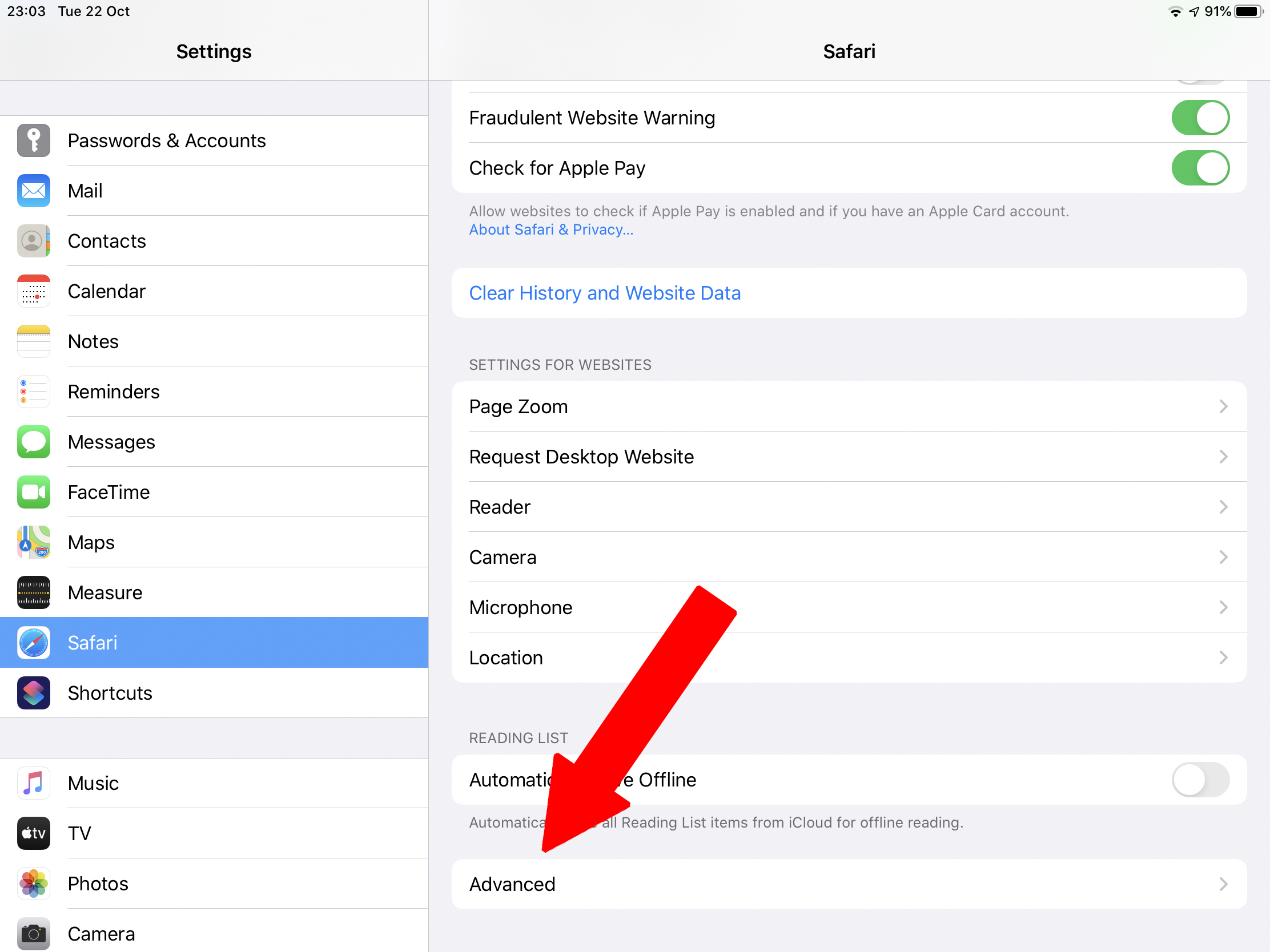
In the advanced menu of Safari scroll down to Experimental features. Tap it

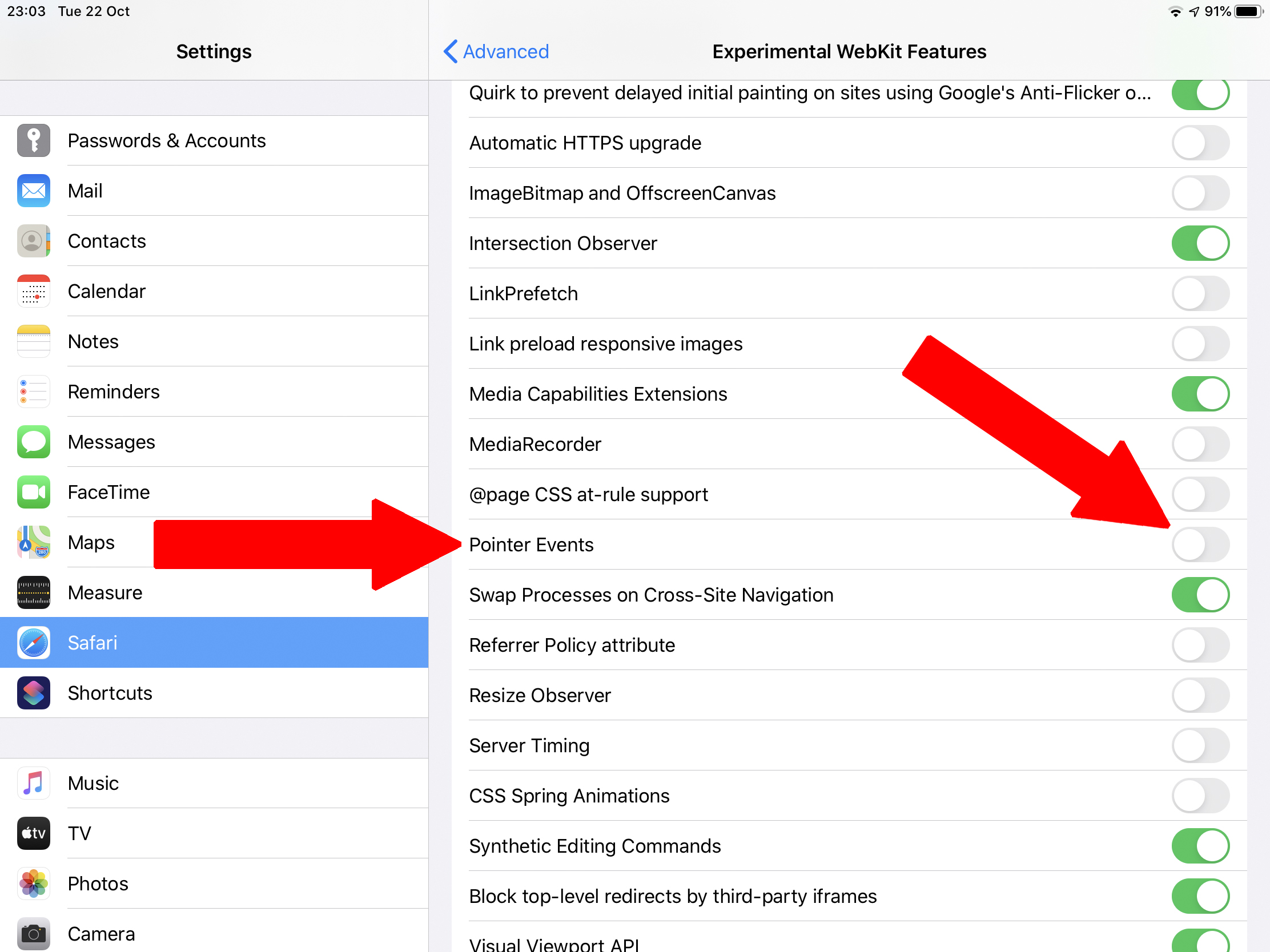
In the Expermental WebKit Features menu, scroll to Pointer events. And turn them off.
Suggest not touching any of the other feature, as I have no clue what they do.